September 2026 release
Overview
Major Upgrades highlighted here:
| Component | Current | Previous |
|---|---|---|
| Portal QR manager | v1.16.0 | v1.15.5 |
| Scantrust Pro | v1.5.0 | v1.4.0 |
| Landing Page Editor | v3.9.0 | v3.8.1 |
| Portal Enterprise | v1.66.0 | v1.65.0 |
Individual Component Change List
A more detailed list of the substantive changes affecting each component.
QR Manager v 1.16.0
Features
-
Added the ability to remove data via Excel upload, with consistent skip/override logic across all fields.
-
Updated the GTIN error message to clarify how shorter UPC/EAN codes are padded with leading zeros to reach GTIN-14.
-
Updated the tooltip to include the GS1 QR and barcode placement guide.
-
Fixed an issue where a new GS1 Digital Link code was created when an existing one was edited.
Remove data via Excel upload
Skip and override logic in the Excel upload was previously inconsistent across fields, and some data could not be removed via upload at all. The behaviour is now predictable, and data can be cleared in bulk.
Simple fields (one value per cell)
- Blank cell — skipped, the existing value is kept.
- Filled cell — overridden, the new value replaces the old one.
- #REMOVE — the field is cleared.
Multi-row sheets (Ingredients, Italian & Spanish Recycling, Packaging Information)
- No rows for a product — all previous entries are kept.
- Rows provided — they replace all previous entries for that product on that sheet.
- SKU + remove_all_existing_data — the whole list for that product is cleared. Individual cells on these sheets do not accept #REMOVE.
Visual indicators
- Columns that support #REMOVE have a light blue header.
- On multi-row sheets, selecting remove_all_existing_data grays out the rest of the row and highlights the option cell in red. Any other values entered on a removal row are ignored.
Note: core nutrients cannot be removed — only optional nutrients (Food & Beverage templates, light blue header). Full per-sheet details are available in the Tutorial sheet of the Excel template.
Scantrust Pro v 1.5.0
Features
-
Added a new DPP editor for textile.
-
Redesigned the Plans page.
-
Redesigned the empty state of the product list.
-
Added Ukrainian language.
-
Bug fixes and improvements.
This release makes Scantrust Pro a self-serve tool for creating Digital Product Passports: it includes a dedicated DPP editor with structured EU-regulation fields, a redesigned onboarding flow that leads new companies straight to their first passport, and a new DPP Textile plan on the pricing page.
✨ What's new — New DPP editor
A dedicated editor for building Digital Product Passports, with:
- Structured EU-regulation fields — Passport, Product, Compliance & Substances, and more.
- Auto-generated GS1 Digital Link for each passport.
- Live mobile preview of the post-scan consumer view.
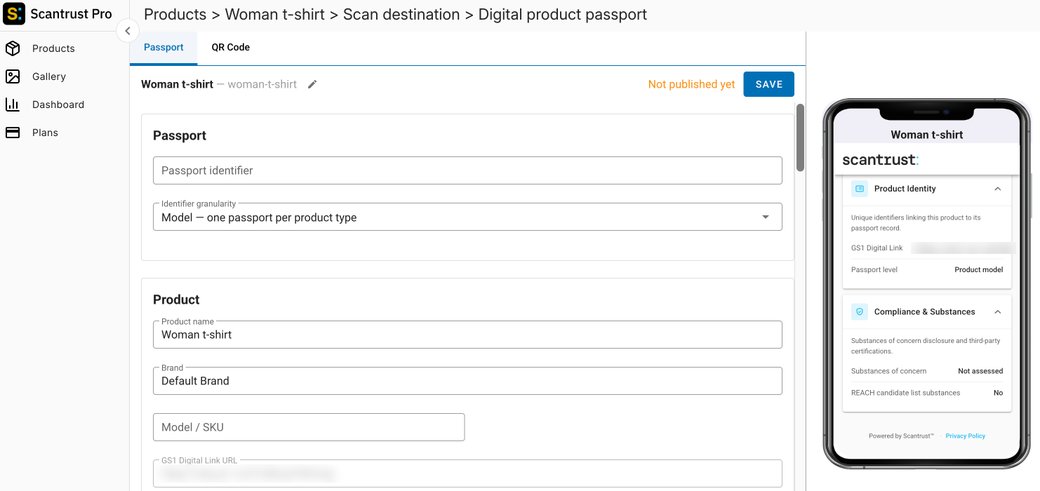
🎨 Improved — Redesigned onboarding: from empty state to first passport
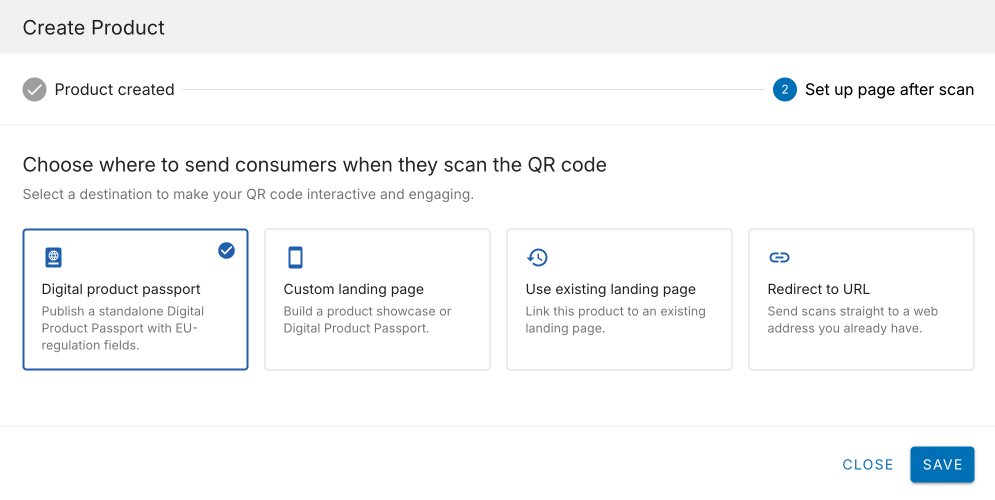
The first screen a new company sees now points to one clear action — create a product and set up the page after scan.
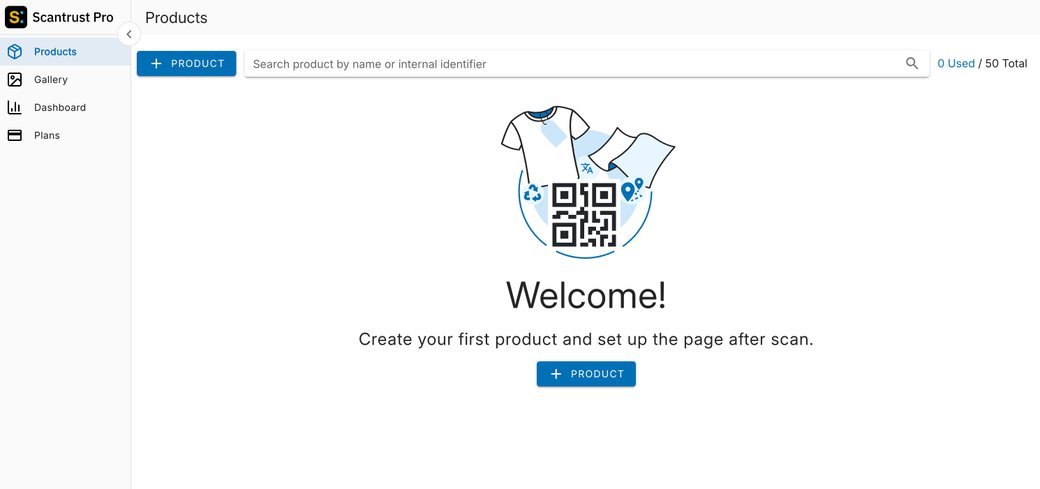
Adding a product is now a two-step wizard: product details first, then where the QR scan should land — Digital product passport, custom landing page, existing landing page, or redirect to URL.
💳 Plans & pricing — New DPP Textile plan
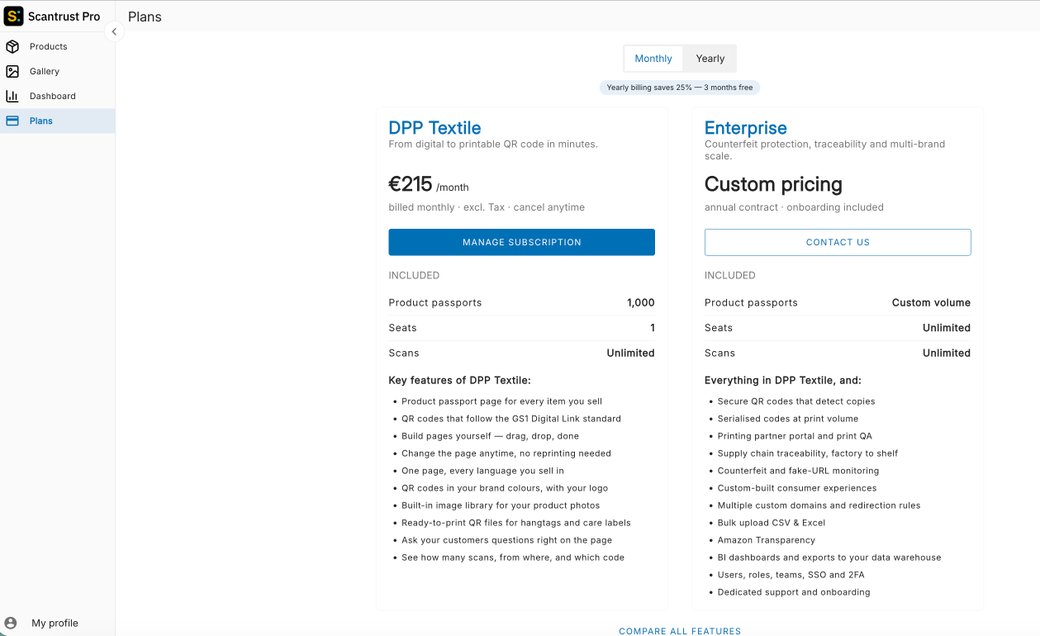
The Plans page now offers a self-serve DPP Textile plan with monthly or yearly billing, alongside the Enterprise plan for counterfeit protection, traceability, and multi-brand scale.
Landing Page Editor v 3.9.0
Features
-
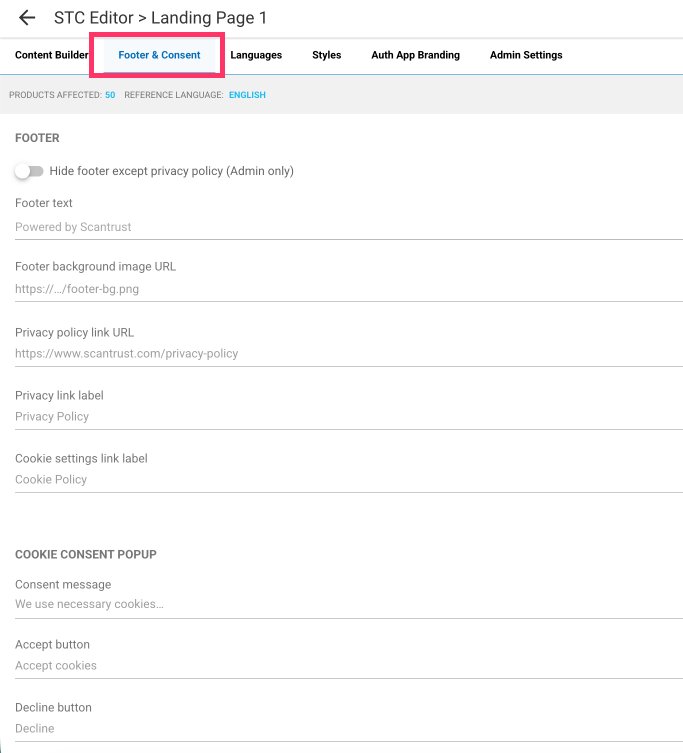
Added a Footer & Consent tab to customise the footer and cookie consent popup, with per-language translations.
-
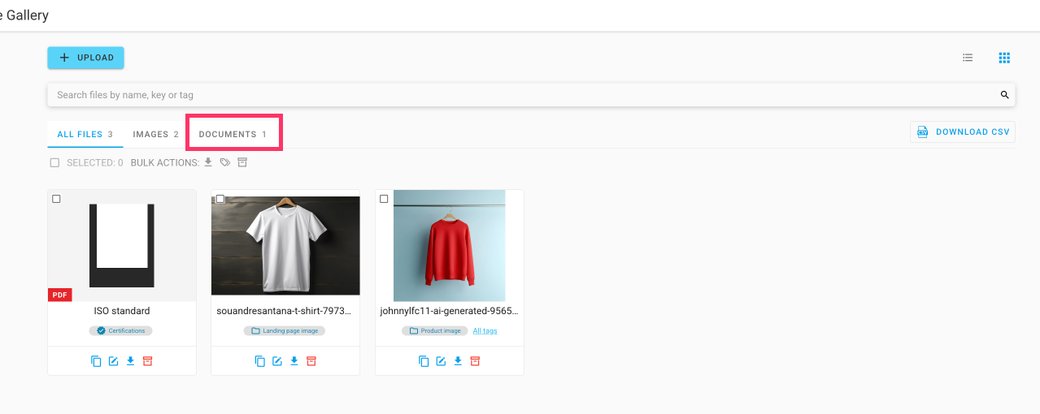
Added support for PDF files in the Gallery, with public access.
-
Fixed an issue where no validation error message was displayed when uploading images exceeding 2 MB in bulk upload.
Two updates for the Landing Page Editor: a new Footer & Consent tab for customising the footer and cookie popup, and PDF support in the Gallery.
✨ What's new — Customisable footer and cookie consent popup
A new Footer & Consent tab in the landing page editor (right after Content Builder) allows customising the footer and the cookie consent popup in one place.
- Footer — customise the footer text, background image (URL or from the Gallery), privacy policy link, and the labels of the two footer links. Toggles allow hiding the privacy/cookie links or the entire footer.
- Cookie consent popup — customise the consent message, the Accept and Decline button labels, and the policy link text and URL.
- Translatable — all custom texts and links can be translated per language through the existing Languages tab.
- Optional — any field left empty keeps the current default ("Powered by Scantrust", the standard cookie message, etc.). Existing landing pages are unaffected until they are customised.
⚠️ Note: the footer text and the hide-footer option are editable by Scantrust admins only — for other roles, the footer text is read-only, so the default "Powered by Scantrust" footer can't be removed by customers themselves.
🖼️ Gallery — PDF files in the Gallery
- Upload PDF files to the Gallery, the same way as images.
- A new Documents tab filters the Gallery by file type, alongside All files and Images.
- Uploaded PDF files are publicly accessible.
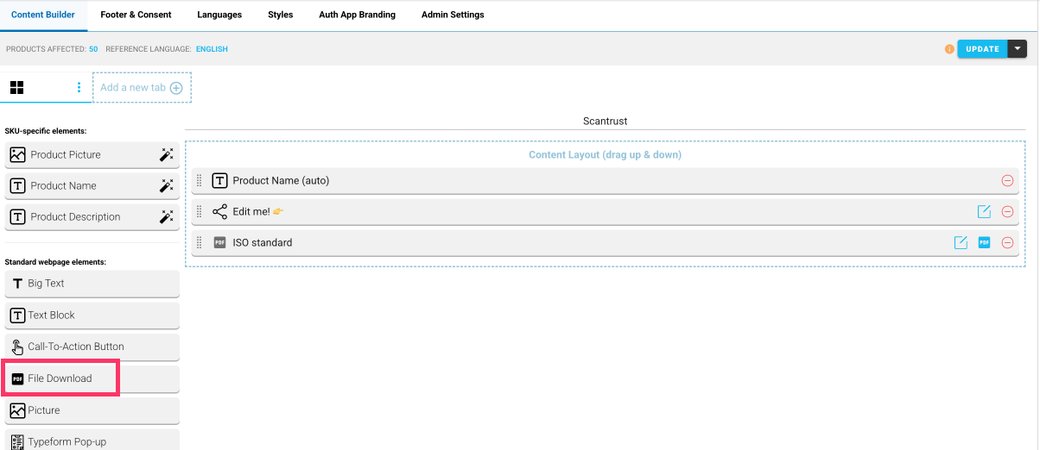
- A new File Download widget in the Content Builder allows adding a PDF from the Gallery to the landing page.
Portal Enterprise v 1.66.0
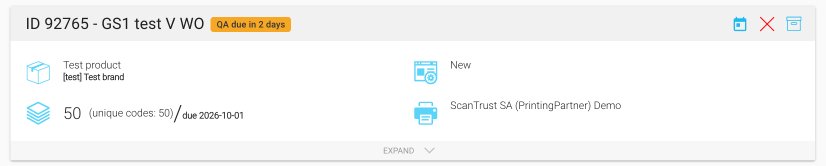
Work orders now have a due date — brand owners set it when creating or editing a work order, and printing partners see it highlighted when the QA deadline is at risk. This release also includes several improvements to product creation.
Work order due date
-
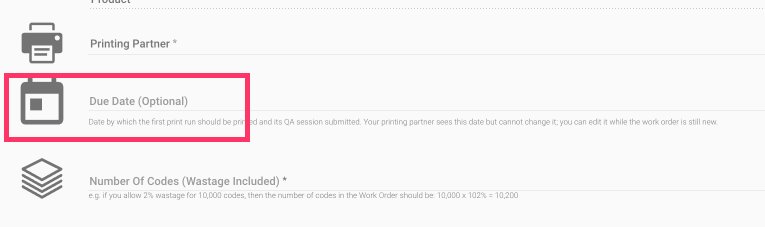
A new optional Due Date field on work order create/edit — the date by which the first print run should be printed and its QA session submitted.
-
Printing partners see the due date on the work order but cannot change it; brand owners can edit it while the work order is still new.
-
Work orders approaching the deadline are highlighted with an at-risk badge (e.g. "QA due in 2 days").