v.1.62.1
| Platform | Version | Date |
|---|---|---|
| scantrust portal | 1.62.1 | 17-04-2026 |
Changes
Portal Enterprise v 1.62.1
-
Added translations feature for product and brand name and description.
-
Added user emails to team lists.
-
Added search tab for organization codes.
-
Added company plan column to User list and Company list in site admin.
-
Added calibration session ID to the calibration session.
Brand & Product Translation
The following fields can be translated:
-
Brand name
-
Product name
-
Product description
All translations live alongside the original content and can be reused across the platform — including in your consumer-facing landing pages.
- Set up company languages
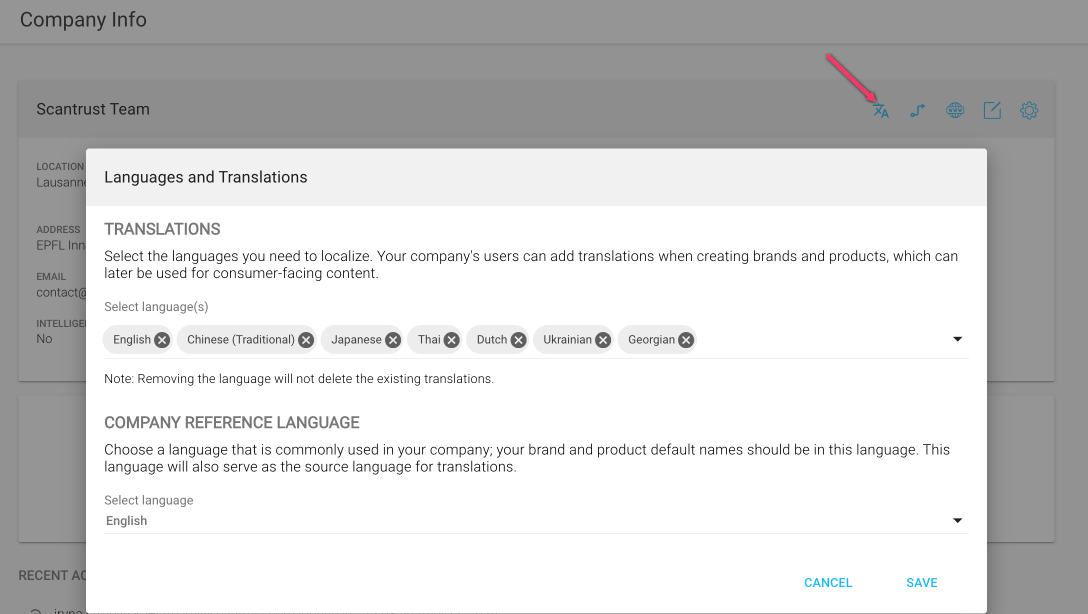
Before translating, a brand admin needs to configure which languages the company works with and pick a default reference language for machine translation.
Navigate to Company Info → Languages and Translations to:
-
Select the languages you want to localize into (Chinese, Japanese, Thai, Dutch, etc.)
-
Set the company reference language — this is the source language used for machine translation and the default for brand/product names
- Translate a brand or product
There are two entry points for translation:
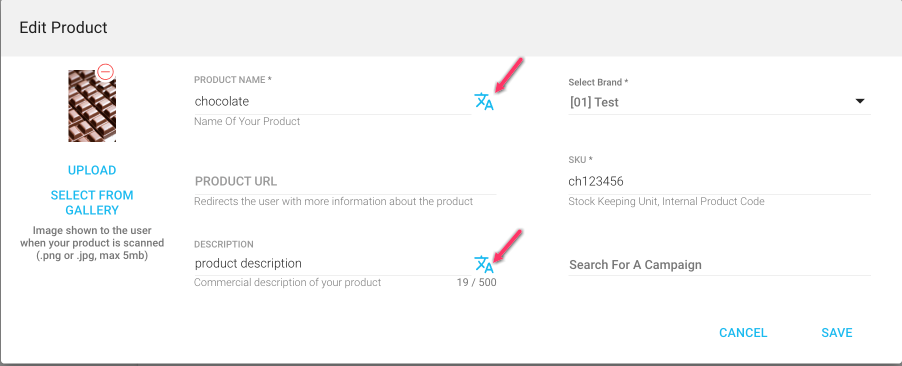
a) From the edit screen
A new translation icon appears next to each translatable field. Click it to open the translation modal for that specific field.
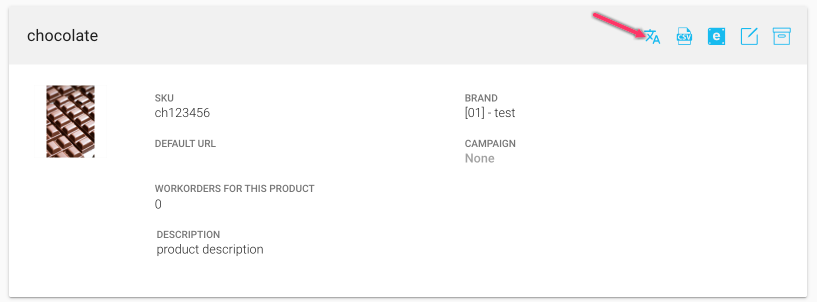
b) From the brand/product card
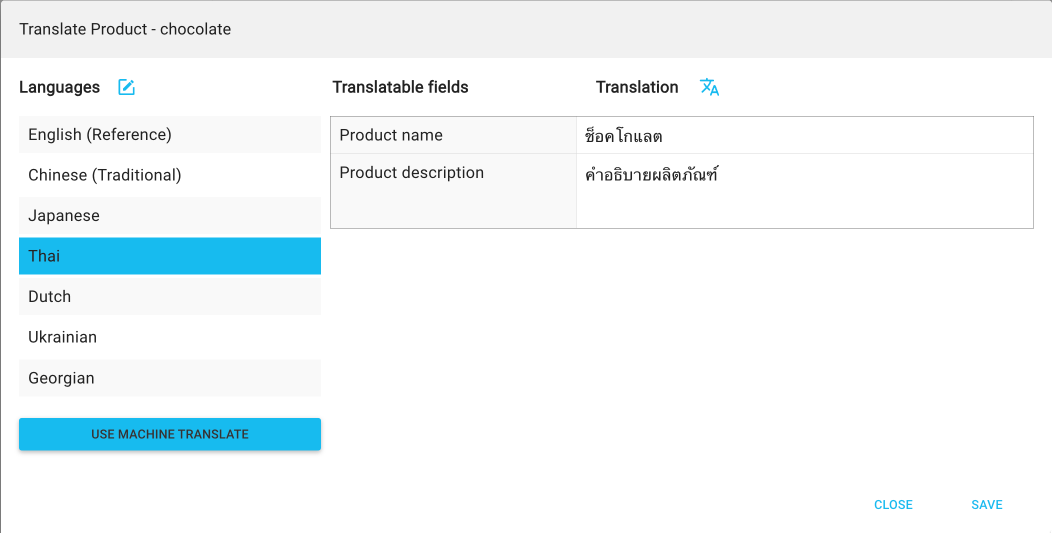
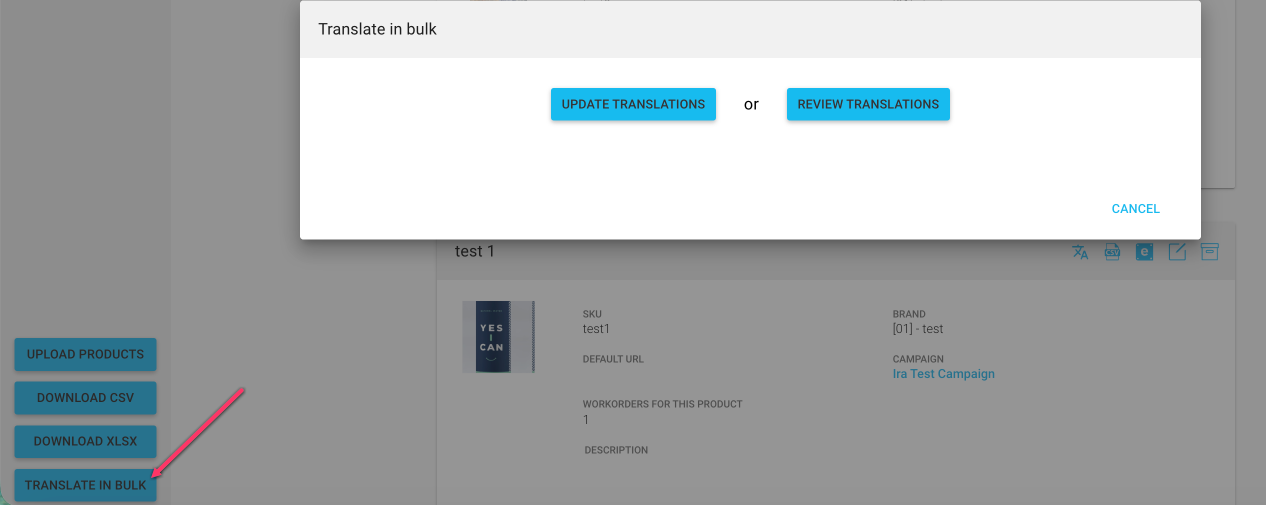
A translation button is now available directly on the brand/product card header, which opens the full translation modal covering all translatable fields at once.
- The translation modal
The translation modal is where the magic happens. From here you can:
-
View and edit translations for every language configured in company settings
-
Update the list of languages without leaving the modal (quick link back to company settings)
-
Use machine translation — either for a single language or for all languages at once with one click
- Translations in the Landing Page Editor
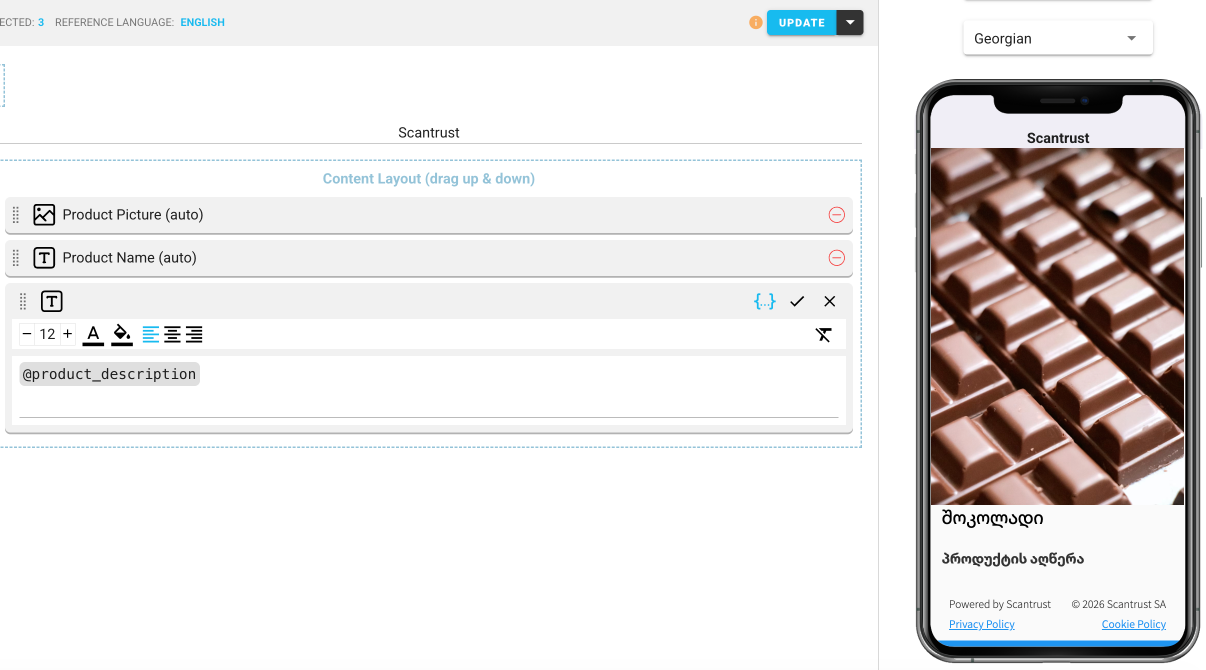
This is where translations really pay off.
-
New landing pages will automatically use the company's configured languages by default — no extra setup needed.
-
The following widgets and placeholders will now pull the correct translation based on the viewer's language:
- Product name widget
- @product name
- @product description
- @brand name
That means one landing page, many languages — and the content updates itself based on what's been translated