v.1.17.0
| Platform | Version | Date |
|---|---|---|
| QR Manager | 1.17.0 | 19-10-2026 |
QR manager v 1.17.0
Features
- Added e-label data export for Enterprise e-label plans, with campaign, brand, and product filters, export history, and 7-day download links.
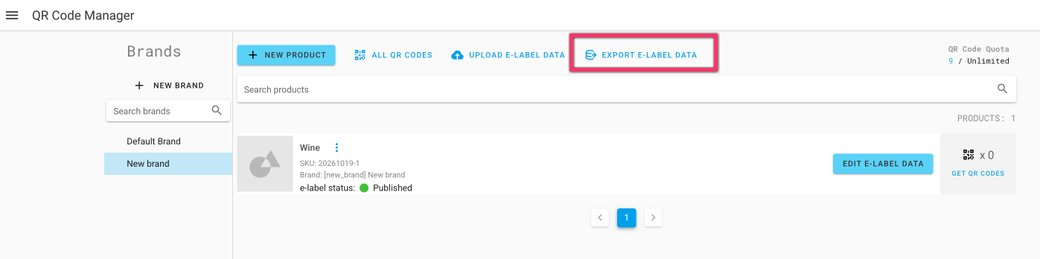
e-label data export is now available in QR manager.
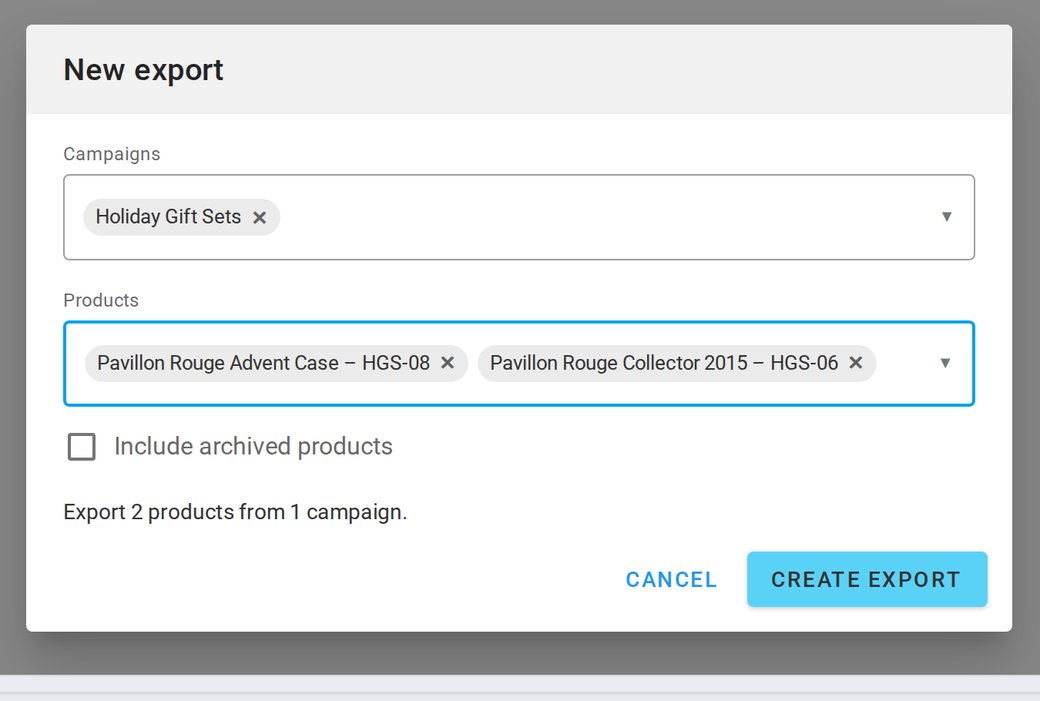
Enterprise customers on e-label plans can now export their e-label data themselves — by campaign, brand, or product — as a CSV file with every language included. This replaces the manual exports the Scantrust team has been producing on request.
✨ What's new — Export e-label data
- A new Export e-label data page in QR manager, available to Enterprise e-label plans and requires the product edit permission.
- Multi-campaign companies filter by campaign, then pick products; single-campaign companies filter by brand. Leaving Products empty exports every product of the selected campaigns or brands.
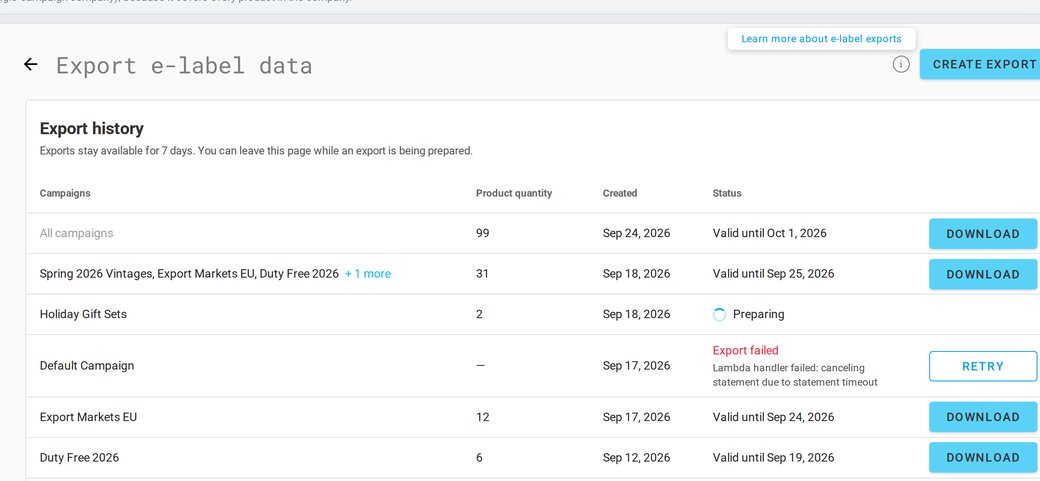
- Export history shows product count, creation date, status, and a Download action, with campaigns and brands on expand. Exports run in the background, and files stay available for 7 days.
📄 The CSV file — What's in the export
- All fields from the Wine, Aromatised Wine, and Spirits templates (Food & Beverage headers will follow in a later version).
- One row per language — the reference language first, then every available translation.
- Ingredients exactly as displayed on the landing page, with allergens wrapped in
<b>tags and organic ingredients marked with*. - Icons exported with readable names instead of numeric keys.
- Up to 5 code URLs per e-label in the last column; serialised e-labels with more codes show a note instead.
⚠️ Intended behaviour in this release: the Products dropdown has no "Select all" — leave it empty to export all; it loads the 50 newest products per campaign or brand, so type a name or SKU to find others; brands appear in Export history only for single-campaign companies; and Retry on a failed export creates a new history row.