v.1.15.5
| Platform | Version | Date |
|---|---|---|
| QR Manager | 1.15.5 | 26-08-2026 |
QR manager v 1.15.5
Features
-
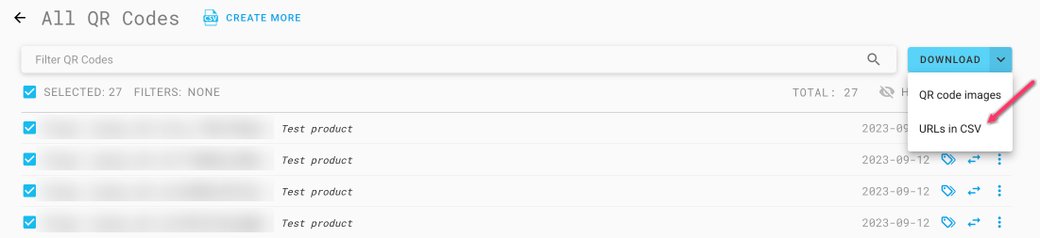
Added the ability to download a CSV file containing QR URLs for created codes.
-
Updated the e-label Excel template:
- Renamed the "Other" template to "Other (food & beverage)" in the tutorial sheet.
- Updated the Base grapevine product list in the aromatised wine template.
- Added a new Contact field in Business operator (all templates).
- Added Manufactured by, company name, and contact fields in Sustainability — Packaging information (all templates).
- Added the new packaging operator type to Translatable fields (all templates).
-
Updated the tooltip to include the QR and barcode placement guide.
-
Fixed an issue where image name validation (minimum 5 characters) was not triggered if the name field was not manually focused before saving.
-
Fixed an issue where view mode icons were displayed when the gallery was empty.
Download CSV files for created codes
From the QR codes list, the Download menu now offers two options: QR code images and URLs in CSV — a CSV file containing the QR URLs of the selected codes.