v.2.0.0
| Platform | Version | Date |
|---|---|---|
| android scantrust printer | 2.0.0 | 15-10-2026 |
ST Printer App v 2.0.0
Features
-
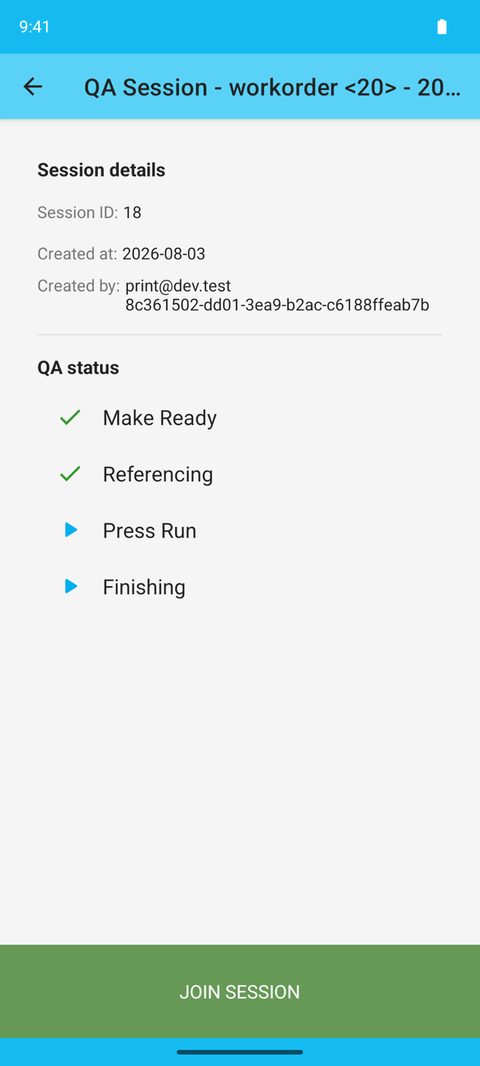
Added named QA sessions that stay visible on the work order, with session details and production statistics.
-
Reworked QA into four stages: Make Ready, Referencing, Press Run, and Finishing.
-
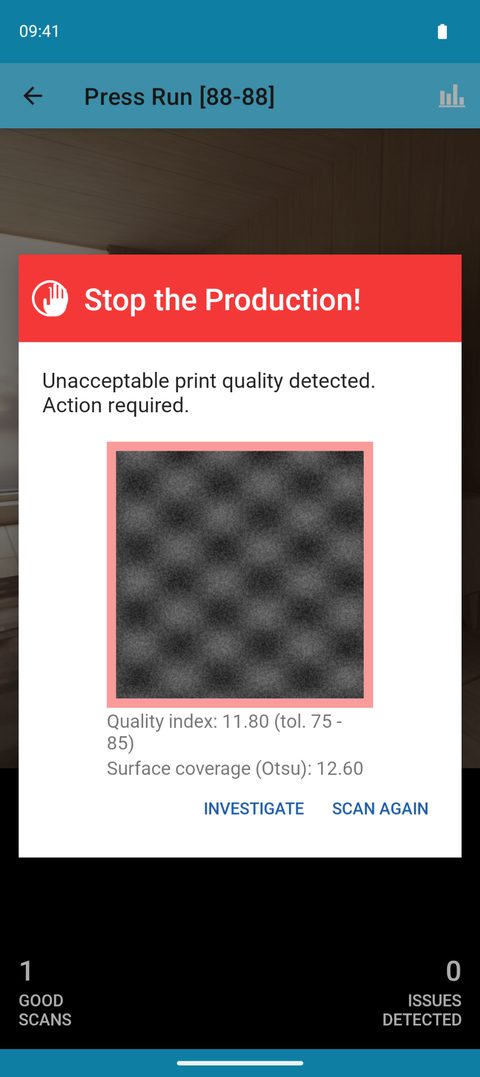
Added a single three-level alert for bad prints, with Investigate as an action.
-
Added the ability to close a QA session and start a new one without contacting support.
-
Added two-phone QA: a master phone runs Make Ready, Referencing, and submits; a second phone joins for Finishing.
-
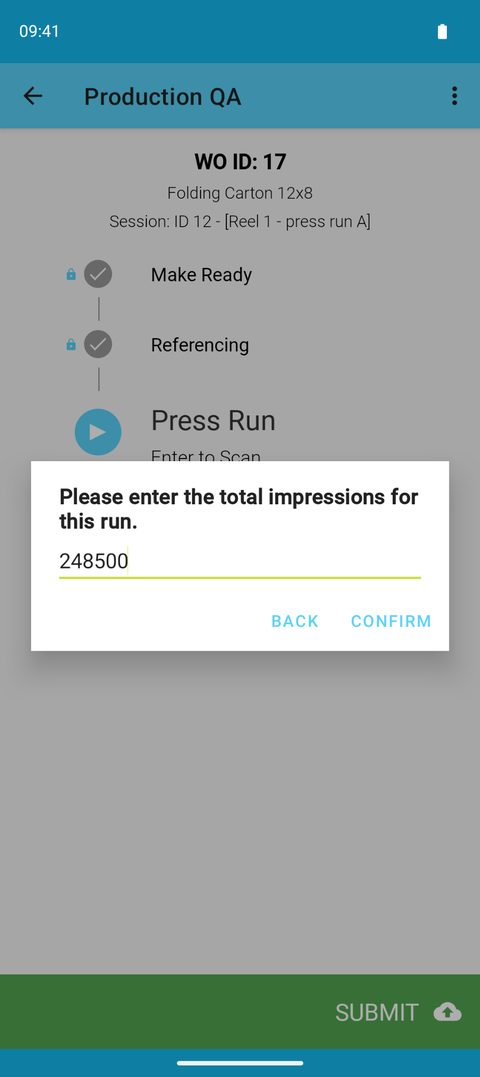
Added a total impressions prompt at submit, recorded per session.
-
Rebuilt continuous QA so that each print run is its own QA session.
-
Added Work Order Details and Verify Work Order to the session list menu.
-
Added support for Pixel 11 Pro.
-
Fixed an issue where long customer names were truncated on the work order list.
ST Printer App 2.0 is a major rework of printing QA.
QA is now organised in named sessions that stay visible on the work order, with four clear stages and a single alert when a print goes bad. Printers can close and restart sessions themselves, and continuous QA has been rebuilt around one session per print run.
✨ What's new — QA sessions and four stages
- Named QA sessions — printers create and name each run; every session stays on the work order with its creator, dates, total impressions, and production statistics.
- Four stages — Make Ready (optional), Referencing (10 good scans, sets the tolerance), Press Run, and Finishing (20 good scans). Investigation is now an action on the alert, not a stage.
- One alert for bad prints — three levels: Bad Print Detected, 2 Bad Prints Detected (Referencing only, restarts the session), and Stop the Production.
- Close session — printers can close a session themselves and start a new one, no support ticket needed.
- Two phones on one job — the master phone runs Make Ready, Referencing, and submits; a second phone joins for Finishing with its own counter.
- Continuous QA rebuilt — each print run is its own session; follow-up runs open with the tolerance already set and can be created from any phone in the company.
⚠️ Before printers update: any open QA session must be submitted first — sessions from earlier versions cannot be continued on 2.0. Automatic updates should be turned off on QA phones, and printers running continuous QA should contact Scantrust support before updating. Supported phones: Galaxy S9–S21 series with the ScanTrust optic, and Pixel 9 Pro / 10 Pro / 11 Pro with the 3D-printed kit.