v.3.9.0
| Platform | Version | Date |
|---|---|---|
| Landing Page Editor | 3.9.0 | 24-09-2026 |
Landing Page Editor v 3.9.0
Features
-
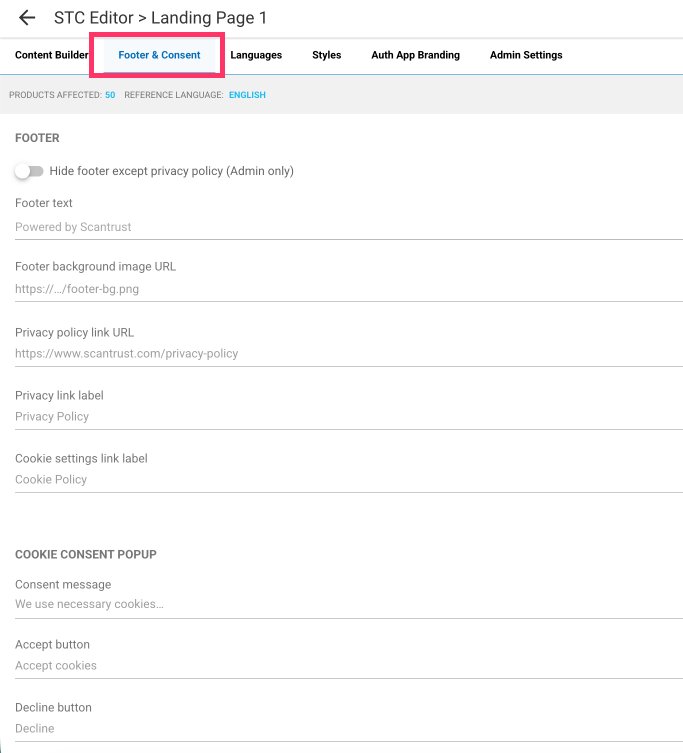
Added a Footer & Consent tab to customise the footer and cookie consent popup, with per-language translations.
-
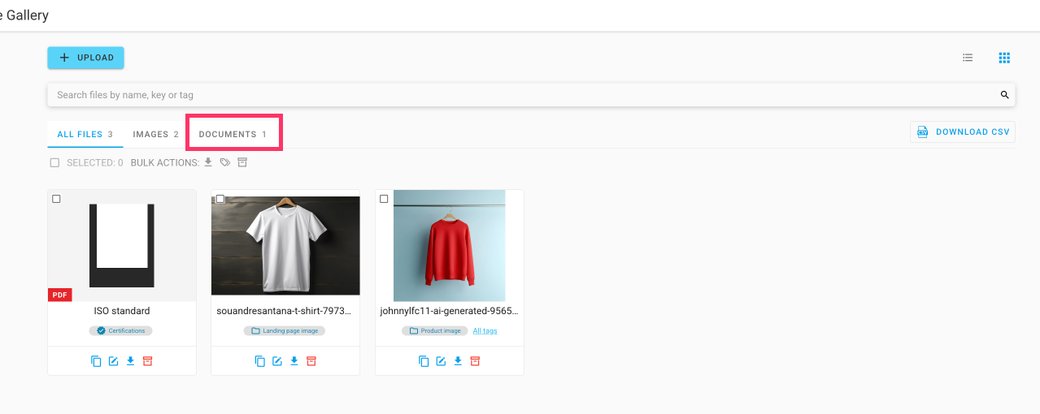
Added support for PDF files in the Gallery, with public access.
-
Fixed an issue where no validation error message was displayed when uploading images exceeding 2 MB in bulk upload.
Two updates for the Landing Page Editor: a new Footer & Consent tab for customising the footer and cookie popup, and PDF support in the Gallery.
✨ What's new — Customisable footer and cookie consent popup
A new Footer & Consent tab in the landing page editor (right after Content Builder) allows customising the footer and the cookie consent popup in one place.
- Footer — customise the footer text, background image (URL or from the Gallery), privacy policy link, and the labels of the two footer links. Toggles allow hiding the privacy/cookie links or the entire footer.
- Cookie consent popup — customise the consent message, the Accept and Decline button labels, and the policy link text and URL.
- Translatable — all custom texts and links can be translated per language through the existing Languages tab.
- Optional — any field left empty keeps the current default ("Powered by Scantrust", the standard cookie message, etc.). Existing landing pages are unaffected until they are customised.
⚠️ Note: the footer text and the hide-footer option are editable by Scantrust admins only — for other roles, the footer text is read-only, so the default "Powered by Scantrust" footer can't be removed by customers themselves.
🖼️ Gallery — PDF files in the Gallery
- Upload PDF files to the Gallery, the same way as images.
- A new Documents tab filters the Gallery by file type, alongside All files and Images.
- Uploaded PDF files are publicly accessible.
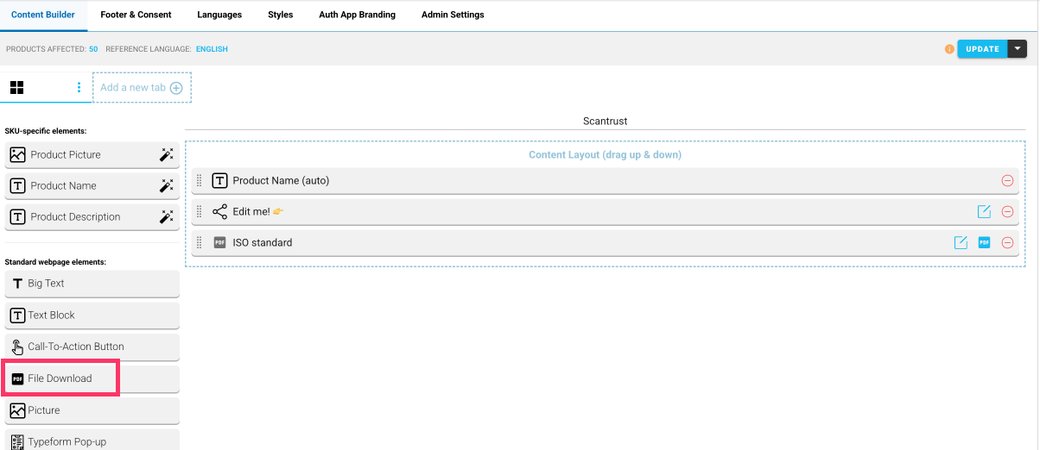
- A new File Download widget in the Content Builder allows adding a PDF from the Gallery to the landing page.