v.1.22.2
| Platform | Version | Date |
|---|---|---|
| scantrust portal | 1.22.2 | 10-09-2026 |
e-label Management Tool v 1.22.2
Features:
-
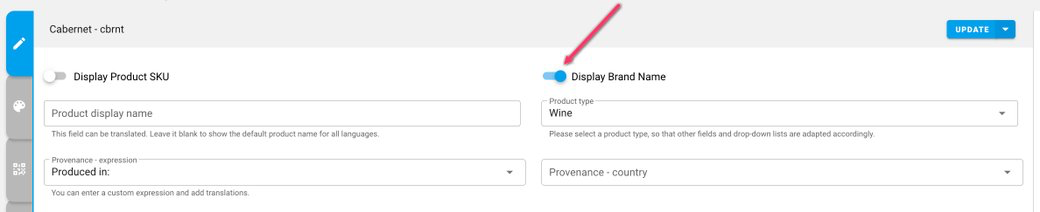
Added the option to display the brand name on landing pages.
-
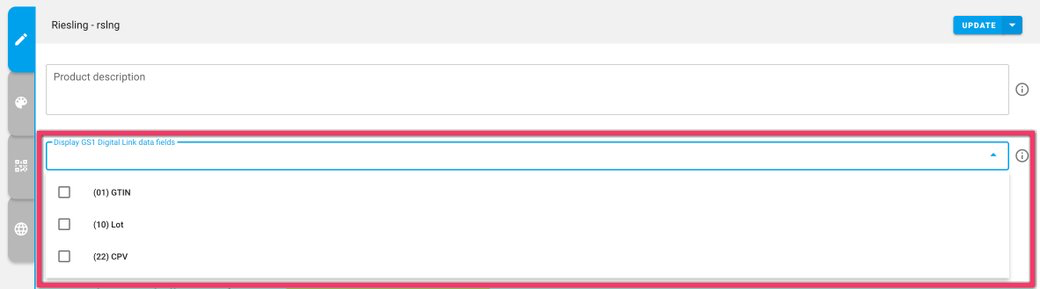
Added the option to display GS1 Digital Link data fields — (01) GTIN, (10) Lot and (22) CPV — on landing pages.
-
Updated the GTIN error message to clarify how shorter UPC/EAN codes are padded with leading zeros to reach GTIN-14.
-
Updated the tooltip to include the GS1 QR and barcode placement guide.
-
Fixed an issue with the responsible consumption message and URL not displaying in the Landing Page preview.
-
Fixed an issue where the ingredients list stopped updating after a Base grapevine product was entered manually.
Display brand name on landing pages
A new Display Brand Name toggle controls whether the brand name appears on the landing page, alongside the existing Display Product SKU option.
Display GS1 Digital Link data fields
GS1 Digital Link data fields — (01) GTIN, (10) Lot and (22) CPV — can be selected individually for display on the landing page.